


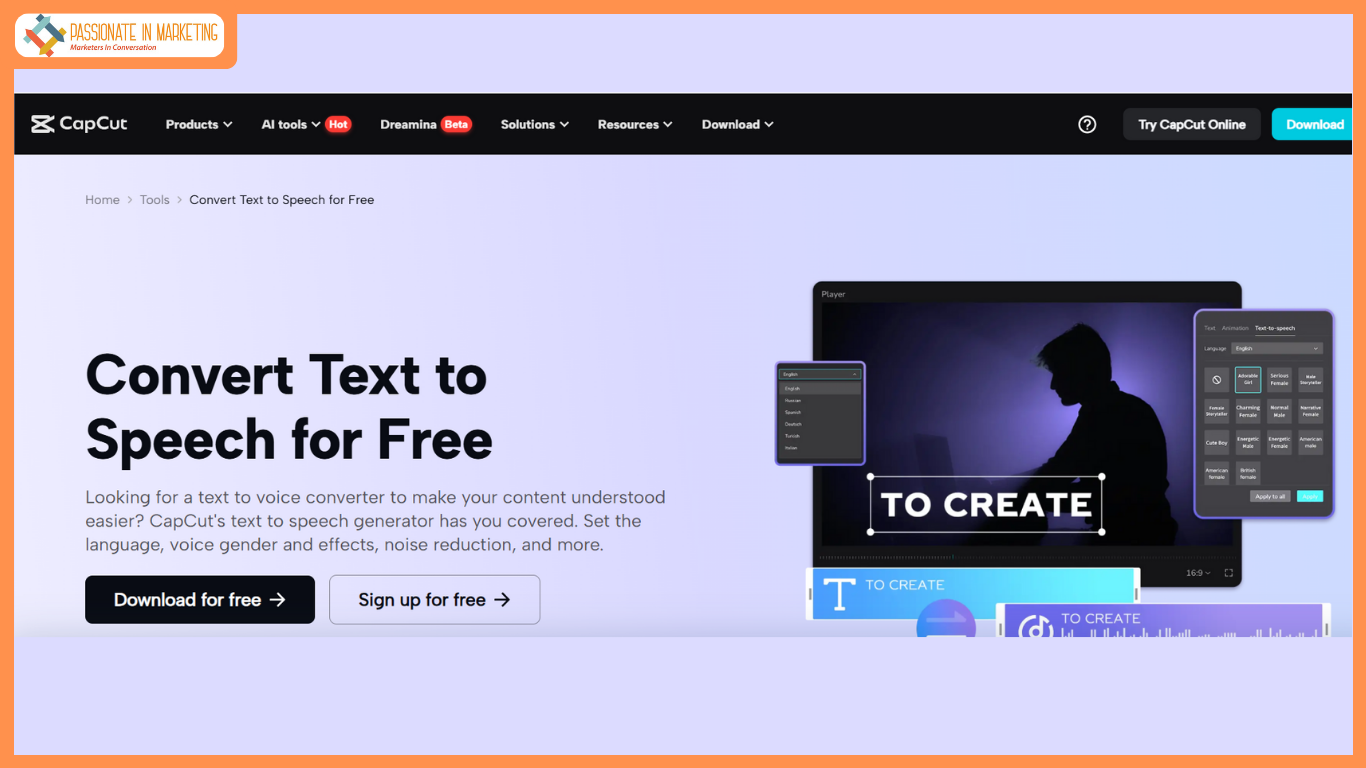
In the world of technology today, artificial intelligence (AI) is making its presence felt in nearly every aspect of our lives. One of the most exciting advancements is the use of text to speech AI. This technology allows computers to convert written text into human-like speech, making it possible for machines to “speak” in a way that sounds natural. These AI-powered systems have been growing in popularity due to their ability to make content more accessible and interactive. In this blog post, we’ll explore the hidden potential of AI voice generators, and how tools like CapCut’s AI voice generator and AI video upscaler are changing the way we create and experience multimedia content.
What are AI Voice Generators?
AI voice generators are programs that use text to speech AI technology to turn text into speech. This means that when you input text into an AI voice generator, the system reads it aloud in a voice that sounds like a real person. These voices can be customized to sound different, with options for various tones, accents, and languages. The main purpose of AI voice generators is to make tasks like creating voiceovers or narrations easier and more efficient.
But how do they work? At the core of this technology are complex machine learning algorithms that have been trained on large amounts of human speech data. By analyzing this data, the system learns how to replicate the rhythm, intonation, and pronunciation of natural speech. Over time, AI voice generator have become more advanced, with voices that are harder to distinguish from those of real humans.
The Power of Text to Speech AI
At the heart of AI voice generation is text to speech AI, which is responsible for turning text into a voice. This technology is widely used in various applications. For example, it can be used to create audiobooks, voiceovers for videos, or even help people who have difficulty speaking or reading.
One of the most impressive things about text-to-speech AI is its ability to read text in a way that sounds fluid and natural. Early versions of text-to-speech systems often sounded robotic, but today’s systems use advanced techniques to mimic human speech more accurately. This makes it possible for users to create voiceovers that sound like they were made by a real person, even if they don’t have access to a professional voice actor.
AI Voice Generators in Content Creation
AI voice generators are changing the game for content creators. With the rise of video content, especially on platforms like YouTube, TikTok, and Instagram, having a reliable and fast way to create voiceovers is essential. AI voice generators allow creators to quickly turn their scripts into voices, saving time and money.
For example, if you’re creating a tutorial video or a product review, you can use an AI voice generator to read your script out loud. This eliminates the need for hiring voice actors, which can be expensive and time-consuming. Instead, you can focus on creating more content and engaging with your audience.
These AI voice generators are also great for social media marketers. By using AI to generate voiceovers for their videos, marketers can create engaging, high-quality content more easily and at a lower cost. Additionally, AI video upscaler tools are being used alongside voice generators to enhance video quality, ensuring that both the audio and visuals of a piece of content are top-notch.
How to Use CapCut’s AI Voice Generator
CapCut, a popular video editing tool, has made it easy for anyone to use AI voice generator and create professional-quality videos. Whether you’re a content creator, marketer, or just someone looking to make a fun video, CapCut PC offers a simple way to add voiceovers to your work. Here are three easy steps to using CapCut’s AI voice generator:
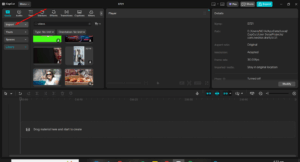
1. Import Video
Start by uploading the video you want to edit into CapCut. This could be a video you’ve already created or one that you’re working on.
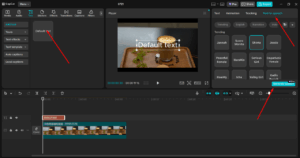
2. Use Text to Speech AI
Once your video is uploaded, click on the “Text” tab and type in your desired script. Then go to the “Text to speech” feature in CapCut and choose from a variety of voices and languages.
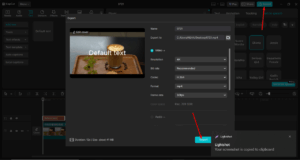
3. Export Video
After you’ve customized the voice and are satisfied with how it sounds, export the video. CapCut makes it easy to save your video in different formats, ready to share with your audience.
CapCut’s AI voice generator tool is a game-changer for anyone who needs a quick and easy way to create voiceovers. It’s also ideal for those who are new to video editing, as it simplifies the process of adding professional-quality voiceovers.
The Role of AI Video Upscalers
As technology improves, AI video upscalers are also becoming a key part of content creation. An AI video upscaler enhances the quality of a video by improving its resolution and sharpness. This is particularly useful for creators who may have old videos that they want to upgrade to meet modern standards or for those who want to make sure their content looks professional on larger screens.
Using AI video upscalers alongside AI voice generators is a powerful combination. By improving both the audio and visual elements of a video, creators can produce high-quality content that stands out on platforms like YouTube, TikTok, or Vimeo. For instance, after using CapCut’s AI voice generator to create a voiceover, you can apply an AI video upscaler to enhance the video quality, ensuring that both the audio and video are crystal clear.
CapCut’s AI video upscaler tool is easy to use and can help you bring new life to your videos, giving them a more polished and professional look. This makes it perfect for creators looking to step up their content creation game.
Conclusion
AI voice generators are transforming the way we create content. With the help of text to speech AI, creators can easily produce voiceovers without the need for professional voice actors. Tools like CapCut’s AI voice generator and AI video upscaler are making it easier than ever to create high-quality videos and reach wider audiences. As AI technology continues to evolve, we can expect even more exciting possibilities in the world of content creation.
So, if you haven’t already, it’s time to explore these AI-powered tools and see how they can enhance your content creation process. Whether you’re a content creator, marketer, or someone simply looking to have fun with videos, AI voice generators and video upscalers are here to stay, and they are revolutionizing the way we work with multimedia.
**’The opinions expressed in the article are solely the author’s and don’t reflect the opinions or beliefs of the portal’**

