


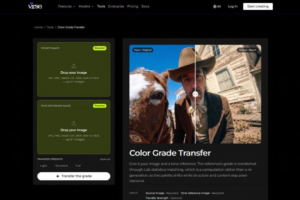
For reference-based adjustments, Virse offers a source-photo and tone-reference workflow with Light, Standard and Full strengths. The tool’s public description specifies color computation rather than scene regeneration, so the review should check palette changes separately from object geometry.
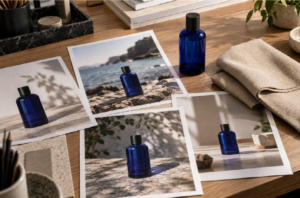
 Campaign photos may come from different shoots yet look inconsistent together. The goal is to keep intentional differences while correcting distractions.
Who owns color consistency?
Assign someone to maintain the visual reference and verify product colors. The creative lead approves the overall look, while the product owner checks accuracy.
Give specific feedback on the file and area needing correction. Clearly define who approves revisions and who can reopen them for product accuracy.
What should the shared reference define?
Use a clearly identified reference image to define the campaign look and essential product details. For example, keep the bottle blue while allowing warm lighting and natural backgrounds.
Group photos by shooting conditions and test representative images before editing the full set. Correct capture issues such as white balance and exposure separately from creative grading.
Review studio, location, and detail shots together, record exceptions, and recheck any files affected by reference changes.
 Record each image’s approval decision, reference, and reason. Check product color, lighting, material accuracy, crops, and replacement images to keep the campaign consistent.
These are sample guidelines, not measured results. Record decisions for the actual files and explain any exceptions.
Consistent settings don’t guarantee consistent images. Compare outputs against the reference and adjust each image as needed.
How do you balance product accuracy and campaign mood?
Check product colors, labels, packaging, and materials against approved references. If grading changes the product’s appearance, use selective adjustments or another reference.
Aim for a cohesive campaign without sacrificing product accuracy or natural lighting.
 Review late-arriving images against the approved reference and check their intended placements. Reassess replacements more carefully, save approved exports clearly, and review the final layouts before delivery.
Is matching the same as applying a preset?
No. Reference matching targets a chosen image, while a preset applies saved settings. Both require review.
Can the tool grade video?
The workflow discussed here is for photographs. Video requires a suitable video-editing workflow.
When is color review complete?
When images work together, product colors remain accurate, and exceptions and approved files are documented.
**The opinions expressed in the article are solely the author’s and don’t reflect the opinions or beliefs of the portal**

